Home
Life CoPilot
BioSense Watch
0
Sign in
Where can I find the App version?
All Blogs
Mobile app Q&As
Where can I find the App version?
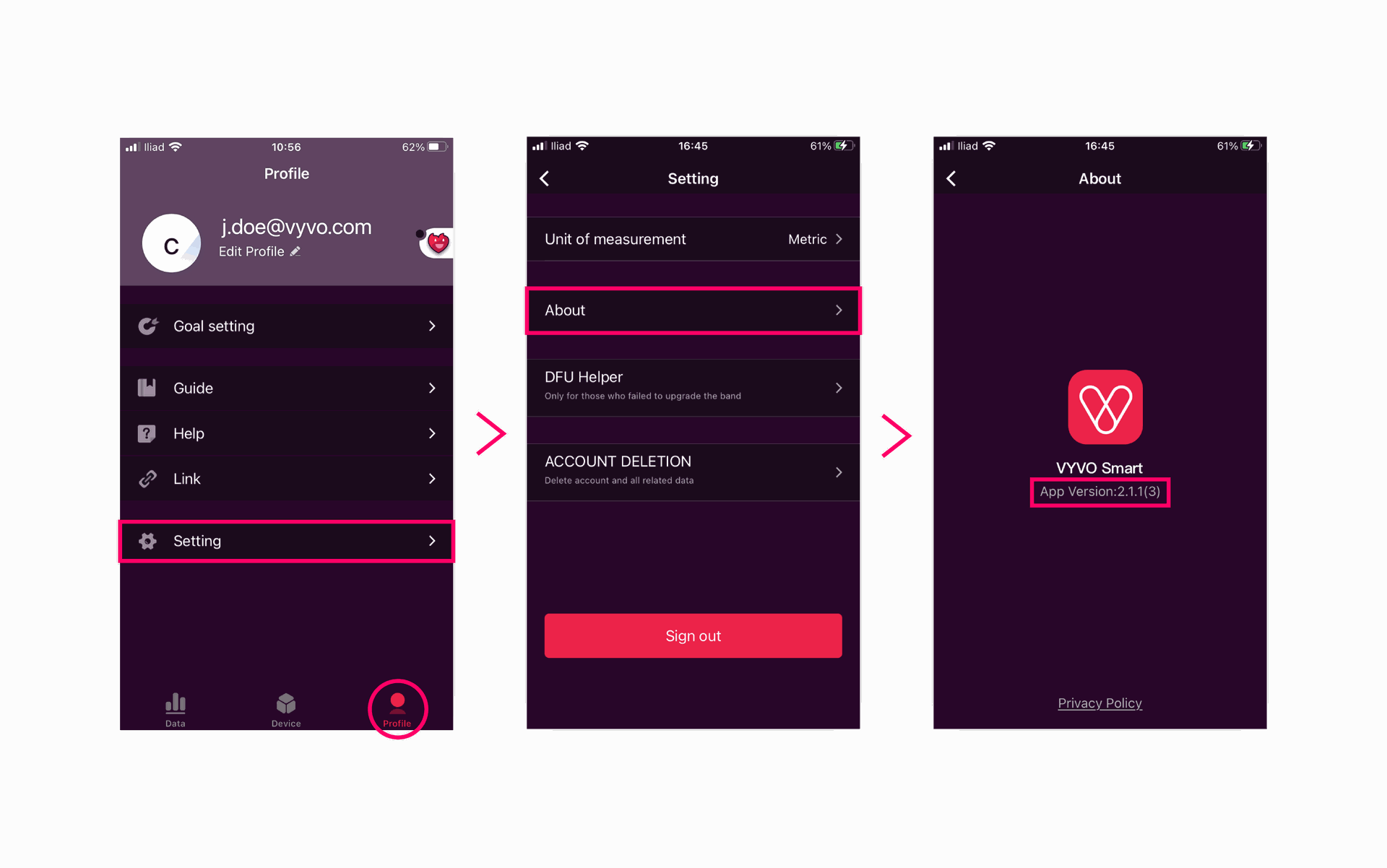
Open the app.
Go on the Profile page (your screen’s bottom right-hand side) > Select
Setting
> Select
About
. The apps version is visible right underneath the app icon.
in
Mobile app Q&As
#
Mobile app
Mobile app Q&As